AI Guided Onboarding: How AI Is Replacing Tooltips and Walkthroughs


Introduction
The reason most onboarding doesn't work is that it solves the wrong problem.
The assumption baked into every tooltip, walkthrough, and checklist is that users don't know where the buttons are. Customers can already see the buttons on the screen.
What they can't see is how the buttons get them to the outcome they bought your product for. Eighty percent of onboarding tours get abandoned because they're answering a question nobody asked. Customers don't need to be shown around the product. They need somebody to translate it into the language of their actual job, while they're trying to use it.
AI guided onboarding is the first thing that can do that translation work at the scale a customer base needs.
What is AI guided onboarding?
The definition
AI guided onboarding uses artificial intelligence, typically a combination of computer vision, natural language processing, and voice, to guide users through software in real time. Instead of pre-scripted tooltips or static walkthroughs, an AI agent watches what the user is doing on screen, understands their intent, and surfaces the next right step contextually.
The difference from earlier onboarding tools isn't only the technology. It's the direction of flow. Traditional tools wait for the user to hit a tripwire. AI guided onboarding anticipates what the user needs before they get stuck, and it tailors the guidance to the customer's specific situation rather than running everyone through the same fixed tour.
Why the shift matters
Most software categories have been trying to solve onboarding for fifteen years, and activation rates have barely moved. Industry benchmarks put human-led onboarding effectiveness at around 37.5%. That's the ceiling the old architecture could reach. The new architecture, voice plus vision plus real-time context, isn't incrementally better. It's a different category of capability, which is why the activation numbers it produces look different too.
Industry benchmarks put human-led onboarding effectiveness at around 37.5%.
Why text-based onboarding is architecturally broken
The button assumption
Tooltips and walkthroughs are built on the belief that users are confused about where to click. Sometimes they are, but most of the time they aren't.
What customers don't have is the bridge between the product and the business problem they're trying to solve. They signed up because they had a vague sense your software could help. They don't yet know how this specific product, with these specific features, applies to their specific situation.
That's the gap onboarding has to close, and a tooltip pointing at the sequence builder doesn't close it. The user already knows it's the sequence builder. What they need is somebody to show them how to use the sequence builder to solve the prospecting problem they walked in with.
The learning modality problem
Humans don't learn complex software by reading. We learn by doing, with guidance from someone who can see what we're doing and correct course in real time. It's how apprenticeship has worked for thousands of years, and it's why a ten-minute Zoom call with a colleague teaches you more than a forty-minute video tutorial.
Text-based onboarding asks users to read instructions, hold those instructions in memory, switch to the product, and perform the action. Four steps, three context switches, high cognitive load, and zero feedback if the user gets it wrong.
Nobody designed it this way on purpose, it just happens to be the only thing static software could do before AI made better options possible. The same reason GPS replaced paper maps applies here. Software people are using shouldn't ask them to remember the instructions and then go execute them somewhere else.
The cross-app problem
Traditional onboarding tools live inside one product. A tooltip on your app can only guide the user while they're looking at your app. Real workflows cross tools, your product plus their CRM plus their spreadsheet plus their browser plus their documentation. When the user leaves your product to do something necessary, the tooltip vanishes. Activation breaks on the boundary between apps, and the user is alone.
AI guided onboarding that works cross-app doesn't have that limit. The agent can watch the user move between tools, guide them through multi-app workflows, and bring them back to your product with the context intact.
The three eras of onboarding: tooltips, DAPs, and AI-native
Era one: static tooltips (around 2010)
Little yellow boxes pointing at buttons. Introduced because nobody knew where the "Save" button was after the UI was redesigned. Built on the assumption that users don't know where to click, so we'll label the buttons. Works if your product is simple and the user is patient. Neither is usually true.
Era two: digital adoption platforms (around 2015)
DAPs added structure: checklists, multi-step walkthroughs, in-app surveys, event-triggered messages. Better than floating tooltips, still fundamentally reactive. The user has to do something first, click, scroll, pause, before the guidance fires. If the user doesn't know what to do, the guidance doesn't help.
DAPs also require engineering. Code injection, tag management, event tracking. Every update to your product risks breaking the onboarding layer, which is why most DAP deployments plateau at "the things we managed to instrument six months ago."
Era three: AI-native activation (2024 onward)
Real-time voice and screenshare. Computer vision that reads the UI the way a user does and interacts with user through natural language conversation. Proactive surfacing of the next-best step. Personalised to the customer's specific situation rather than running the same tour for everyone. Zero engineering to deploy, works across any app because it sees the screen.
The move is architectural, not cosmetic. DAPs can't evolve into AI-native activation by adding a chatbot. The modality and the proactivity are the thing.
Static tooltipsDigital adoption platformsAI-native activationModalityText pop-upsText walkthroughs, checklistsVoice, screenshare, computer visionDirectionReactive (user triggers)Reactive (user triggers)Proactive (agent anticipates)Engineering requiredLightModerate to heavyNoneCross-appNoNo (in-app only)YesAdapts to UI changesNoNo (breaks on update)Yes (vision-based)Personalises to the customer's situationNoLimitedYesTime to deployDaysMonthsTwo weeks
The technology behind AI guided onboarding
Real-time screenshare
The AI agent reads the screen the way a human does, pixel by pixel, UI element by UI element, not by parsing the DOM or relying on engineering-defined event markers. This is what enables cross-app guidance and makes the agent resilient to UI changes. If your product ships a redesign on Tuesday, a vision-based agent sees the new UI and keeps working. A code-instrumented DAP has to be reconfigured
Natural language conversation
Users can ask questions in plain language, like "how do I set up a campaign that tracks spend by region?", and the agent responds with voice and on-screen guidance. No menu to navigate, no search box to type into, no help documentation to wade through. The interface is the conversation.
Personalised guidance
The differentiating capability isn't answering questions. It's understanding the customer's specific situation through the conversation itself, the same way a CSM would, and tailoring the guidance accordingly. A user who tells the agent they're trying to build prospecting workflows for SaaS sales gets a different walkthrough than a user setting up customer health monitoring. By analysing what the user is doing, what they've done in past sessions, and how other users in similar contexts have succeeded, the agent can also surface features, workflows, or integrations the user hasn't discovered, before the user gets stuck. This is the proactive layer that reactive tools can't reach.
What voice-first onboarding actually looks like
A concrete example
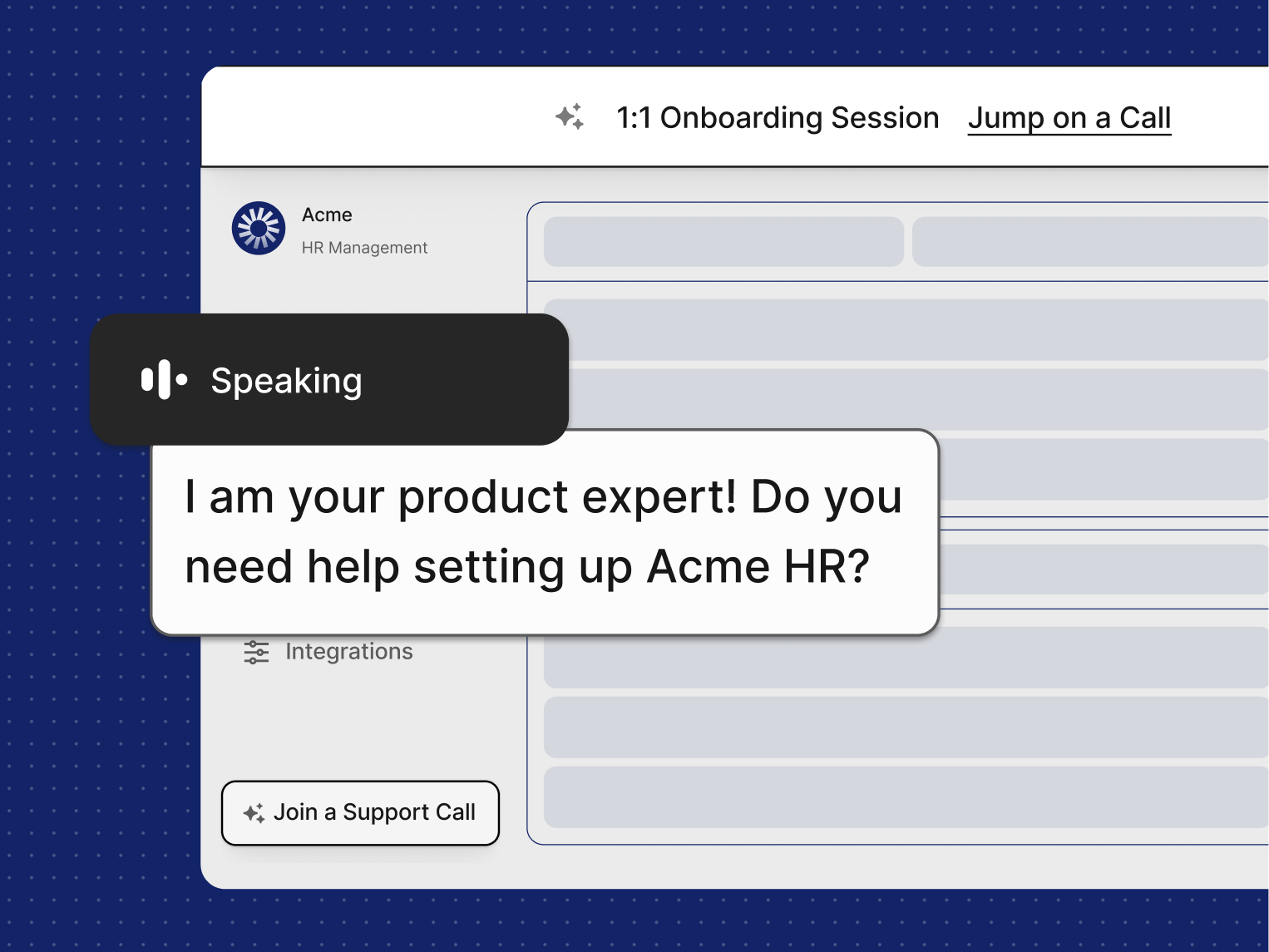
A new user signs up for a sales platform. Instead of landing on a dashboard with a tooltip tour, they're greeted by a voice agent that says, "Want me to walk you through setting up your first outbound sequence? It'll take about fifteen minutes."
The user says yes. The agent shares context on screen, walking them through where the contact list lives, where the sequence builder is, and how the personalisation tokens work, while the user follows along on their own screen. When the user hesitates, the agent notices and offers a nudge. When the user asks "can I also sync this to HubSpot?", the agent pivots, shows them the integration panel, and walks them through it. At the end, the user has a working sequence, not a completed tour.
The session takes twenty minutes. The user comes back tomorrow for another twenty to learn a different part of the product. Over the first fortnight, they have three or four of these conversations, and by the end they're using the product at the depth that predicts retention.
What makes it different from a video or a tour
Three things. First, the conversation adapts to the user's actual questions, not a pre-scripted path. Second, the user does the work in real time on their own instance, not on a sandbox. Third, the agent has memory across sessions, so the second conversation picks up where the first left off.
How to evaluate an AI onboarding solution
Questions that separate AI-native from AI-branded
The category is filling up with tools that put "AI" in the product name and a chatbot over an existing DAP. That isn't AI guided onboarding. It's a tooltip with a language model attached.
Five questions to ask when evaluating:
1. Does it work without engineering instrumentation?
If the vendor needs your dev team to add code, tags, or events, you're buying a DAP with AI marketing. AI-native activation uses computer vision and doesn't touch your codebase.
2. Does it work across applications, or only in one product?
Real workflows cross tools. A solution that only works inside your product will break the moment the user opens a spreadsheet.
3. Is it reactive or proactive?
Ask how the guidance gets triggered. If the answer involves the user clicking, scrolling, or typing first, it's reactive. Proactive guidance anticipates.
4. Voice, text, or both?
Text-only tools retain the cognitive load problem of the old era. Voice-led tools use the modality humans actually learn by.
5. What happens when your UI changes?
Code-instrumented tools break on updates. Vision-based tools adapt. This matters more as your product ships faster.
Key takeaway
AI guided onboarding isn't a better version of tooltips. It's a different modality, voice-led, proactive, cross-app, vision-based, and personalised to the customer's situation. The teams moving to it aren't improving activation rates incrementally. They're hitting numbers the previous architecture couldn't reach.
Conclusion
Onboarding has been stuck in the same architecture since the tooltip era. For fifteen years, activation rates barely moved, because the tools underneath them weren't fundamentally different. Just better-designed versions of the same reactive, text-based approach to a problem that was never about buttons in the first place.
The move to AI-native activation isn't a new feature. It's a new modality, and it's the first thing in a long time that changes the ceiling. The teams that adopt it stop optimising a number that was always going to plateau, and start operating at a different number entirely.
Next step: If you want to see what proactive, voice-led AI guided onboarding looks like in your own product, without engineering work and live in two weeks, book a QuarterZip demo.